
Your companion for work, study, play & life

She remembersyour current projectYou just keep going

Work, study, play, life — she's with you through it all. And she understands you a little better every day.

macOS & Windows · Your data stays on your computer

Work companion

Give her the task in one sentence.
She hands back finished work

She lives on your computer — she can read your files, run commands, and drive a browser, taking you from request to delivery: documents, spreadsheets, charts, and web pages, not a pile of chat logs.

Content creation

Weekly reports, proposals, long-form posts. She remembers your voice and the wording you settled on last time — what she writes sounds like you.

Files & data

Word, Excel, PDF, Markdown — she reads them all. Parsing, cleaning, summarizing, handed back to you with charts and a conclusion.

Research

Multi-source search, reading the web, cross-checking claims; every conclusion comes with its sources linked.

Workflow automation

Hand the repetitive work to scheduled routines: weekly data reports, site checks, content upkeep — delivered on time, automatically.

Batch execution

Write down the to-dos —
she'll clear them in batches

She's not picky about work, and volume doesn't scare her. Drop tasks into the batch queue, arrange the order, and hit "Run" — each task gets its own background agent session that records results and commits changes as it finishes. Go to a meeting, take a nap — come back to a row of checkmarks.

  • Isolated sessions

    Every task runs in a fresh agent session with no cross-talk; open a task and watch it execute.

  • Several at once

    Run several tasks in parallel — you decide how many; drag a whole group and the order changes instantly.

  • Commit on completion

    Results are written back to the task, and code changes are committed automatically — what got done, plain to see.

  • Resumable by design

    Queues and results persist; re-runs skip finished tasks and pick up only what's left.

Batch execution0/5
Run in parallel12345Stop
Fix dark-mode style misalignmentwebsite
Add unit tests for the orders moduledesktop app
Update dependencies, clear warningswebsite
Draft this week's product reportdocs
Refactor API error handlingdesktop app
Kanban-driven

Your kanban is an assembly line
cards move themselves forward

Any process can be laid out as lanes — to do, in progress, in review, done — arranged however you like. Hit "Agent run" and she starts from the rightmost lane , pushing cards along one by one: steps that need your judgment pause to wait for your "approved" ; the rest flow on to the next station automatically.

KanbanRunning
Topics2
City walk · Yulin
Article · 1,500 words
Weekly-report methods, #03
Article · column
Draft1
Reader Q&A Vol. 12
Q&A · 8 picks
Review1
AI companion landscape
Deep dive · illustratedworking…
To publish1
Writing is thinking
Essay · laid outdone
Lanes are the process

Dragging cards between lanes is how you adjust status and stages; however the flow is arranged, that's how she runs it.

Rightmost lane first

What's closest to done gets done first; top to bottom within a lane — no skipped steps, nothing missed.

Review gates

When a gated lane finishes, she waits for your nod before continuing; the quality checkpoints stay in your hands.

Every run leaves a trace

Each round of execution is written into the card itself — where the handoff stands and how it went, checkable anytime.

Study companion · Illustrations

A slash in your notes
and the illustration draws itself

Halfway through a paragraph and want a figure? Type "/illustrate" at your cursor and say what you'd like — she draws a clean vector illustration on the spot, landing right inside the paragraph. Like the prose, figures grow inside the article.

  • Drawn by hand · Not stock-library assets — a vector figure she draws stroke by stroke: clean lines that stay crisp at any zoom.

  • Context-aware · The prompt can be left empty: she reads the paragraph at your cursor and draws something that fits.

  • In place · Generating and redrawing both happen in place; the article's layout never gets disturbed.

  • Redraw until it fits · Open the image and say "switch to a gold palette" — she redraws it right there.

Notes · General relativityMemory extraction · on
General relativity: gravity is geometry

Gravity is not a force, but a curvature of spacetime itself.

Matter tells spacetime how to curve; spacetime tells matter how to move —

Type

That's exactly what the next section unpacks.

Notes · Fourier transformMemory extraction · on
The Fourier transform

Any complex waveform is a sum of simple sine waves.

Type

That's exactly what the next section unpacks.

Study companion · Find videos

Stuck on a passage? A slash
brings you a video that explains it

When a paragraph won't click, type "/video" at your cursor and tell her the topic. She searches across platforms and picks only what's truly relevant , inserting it into your article as a card — click and it plays right inside the app, no leaving your notes.

  • Curated, not dumped

    After searching across platforms she keeps only the one or two that truly fit — no landfill of links.

  • Click and watch

    Videos open on their original page in the in-app browser — your sign-in and playback quality, same as always.

  • Cards in the text

    Embedded as cards in the article, title and duration at a glance; its sibling "find citations" drops articles and papers in just as easily.

Study companion · Your feed

She knows
what you should watch

Based on your notes and how well you've mastered them, she keeps videos and articles ready — review picks to reinforce what's fading, fun picks to help you unwind. Whenever you open it: always fresh, always about you.

Review picks · reinforce

Chosen from your notes and your mastery state: concepts you're about to forget, paired with explainer videos — mark one "got it" once it clicks.

Today's picks, ready for you Stocked daily

Schrödinger's cat

The thought experiment that shows superposition in quantum mechanics...

From your notes · Quantum mechanics

From your study notes — this video reinforces the concept of "superposition."

Swipe up for the next

Fun picks · unwind

About a third is lighter fare, mixed in with the knowledge cards for a change of pace; each is clearly marked as not for review.

Coming soon · Your memory, on the goIn development

Check your desktop's tasks, notes, and picks from your phone anytime — your memory travels with you.
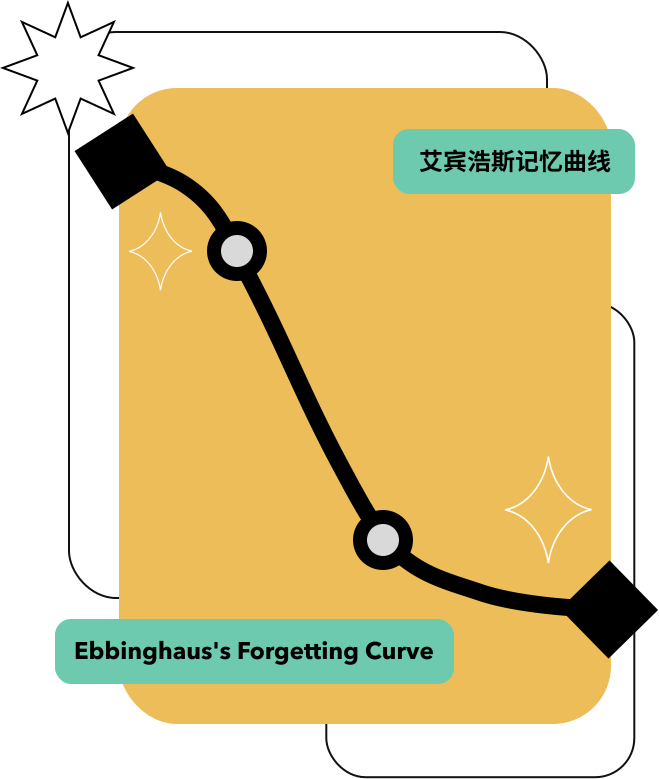
Review that comes to you

Memory that grows
naturally, in conversation

Memo Store never asks you to open an app to "review." Every conversation with her, every note, every completed task settles into memory the two of you share.

At the point of forgetting she comes back to you with review cards — she comes to you , growing alongside you.

Illustration of reviewing at the point of forgetting
Play companion

She does the work —
you take the break

Hand the work over and switch into a video feed for a guilt-free scroll. When she's done, she taps you gently in the corner — one click and you're back to business. Work and play, one window.

Agent sessionBreak channel
Handle these three things: check the sites, pull together the weekly report, and draft a follow-up email to the client
♪♪♪♪
Bilibili12:34
[Remix] An office worker's day vs. mine
@MAD-zone legend
Swipe up for the next one
The platforms you already watchBilibiliDouyinYouTubeKuaishou
Life companion

No need to summon her —
she comes to you

She isn't a tool waiting for instructions. Carrying your shared memory , she reports progress, nudges you at the right moments, and drops by just to chat. The longer you're together, the better she knows you.

WorkStudyPlayLife
Study reminder09:00

Morning. Picked two quantum-mechanics review videos for you — and the creator you follow just posted.

Task report11:30

The tests from this morning finished — all passing. Also, the materials for the 3 pm meeting are ready.

Wellness nudge16:00

Time to get up and move — you've been sitting for four hours today; your neck deserves a break.

Just chatting21:30

Up for a quick chat before bed? That article on memory today gave me an idea I'd love to share.

Not just responsive —
she's proactive

Tasks, notes, scheduled routines, browser automation — she puts these capabilities to work on her own, not just when you ask.

Persistent memory

Across conversations and across days, she remembers your preferences, projects, and promises. Every exchange deepens her understanding of you — you never have to reintroduce yourself.

Tasks & notes

Your to-do list and study notes live with the agent — things get arranged in passing, mid-chat.

Scheduled routines

At set times each day she curates content, builds review cards, and reminds you what's due.

Browser automation

Checking tickets, reading pages, watching for changes — she drives the browser for you.

Your data, your machine

She runs on your computer; tasks, notes, and memories all stay local.

Extensible via MCP

Plug in external tools and services — her abilities keep growing.

FAQ

About Memo Store,
you might wonder

What is Memo Store?

Memo Store is a desktop AI agent that runs on your computer — your companion for work, study, play, and life. With persistent memory across conversations, she can read and write files, run commands, and drive a browser: give her a task in one sentence and she delivers a finished document, and she proactively returns with review cards right at your forgetting curve. Built by Chengdu Jishang Technology Co., Ltd.

Which platforms are supported? Is it free?

Memo Store runs on macOS and Windows. For macOS, both Apple Silicon and Intel builds are available. All downloads are free from the official site.

Where is my data stored?

Your tasks, notes, conversations, and memories are stored locally on your own computer by default — never uploaded to our servers, and never used for ads or profiling. When you use AI features, context is sent only to the model provider you configure yourself.

What does “persistent memory” mean?

She remembers your preferences, projects, and promises across conversations and across days. Every chat, every note, and every completed task settles into your shared memory — you never have to introduce yourself twice.

What can she do for me?

One sentence gets you finished documents, spreadsheets, and charts; batch-execute task queues and kanban pipelines; type /illustrate or /find-video inside your notes for in-place vector illustrations and curated videos. She also handles scheduled jobs and browser automation (ticket checks, site monitoring), and extends via MCP.

How do I download it or reach the team?

Download the macOS and Windows installers for free from the download section of this site. Reach us at contact@memorai.store, or submit feedback inside the app.

Let her move in
to your computer

Download the Memo Store desktop app for free. Starting with your very next conversation, let her remember you.

Apple Silicon buildIntel buildWindows buildv0.0.24

Data stays on your machine · Persistent memory across every conversation